
Your fix and flip loan, step by step
What you will see online, from your term sheet to your rehab budget, and exactly what to do on a computer or a phone. Every step saves as you go, and you can sign with your finger or by typing your name.
Your term sheet
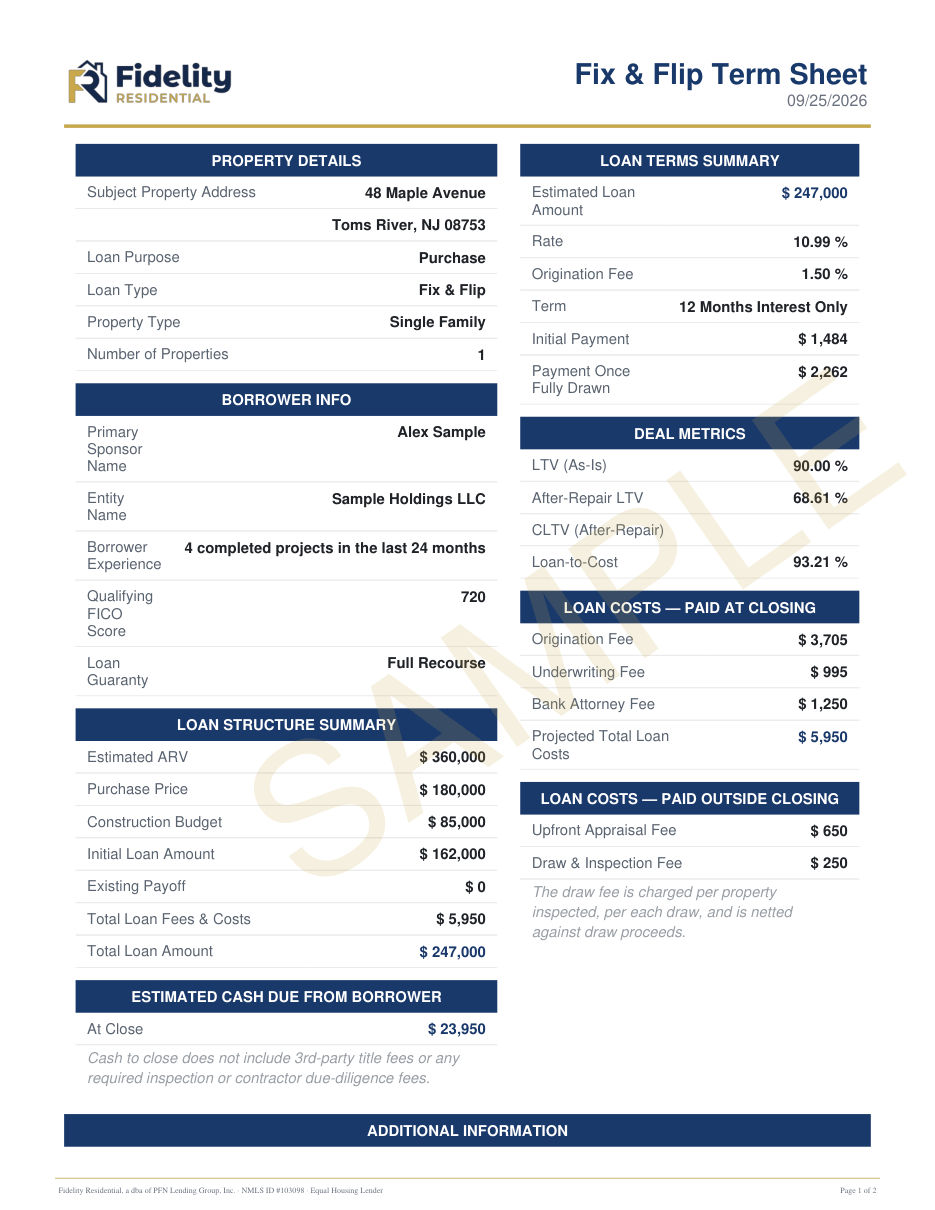
After you request a quote, we send a term sheet by email. It lays out the loan we can offer for your deal. Below is a sample with made up numbers.
What it shows
- Loan terms: the estimated loan amount, rate, term and your monthly interest only payments, at first and once the rehab is fully drawn.
- Loan structure: purchase price, rehab (construction) budget, estimated after repair value and the initial loan at closing.
- Deal metrics: loan to value, after repair loan to value and loan to cost.
- Costs: fees paid at closing and outside closing, including the draw and inspection fee, and your estimated cash due at closing.
Accept it online
Open the term sheet from our email, check the box to agree to sign electronically, and sign with your finger or by typing your name. You get a signed copy with a certificate of electronic signature.

Your application
The online application takes about 15 minutes. It saves as you go, so you can come back to it on the same device.
Sign at the end
On the last screen, check the certifications, agree to sign electronically, and sign in the box: Draw it with your finger or mouse, or Type it and we write your name in a handwriting style. A co-borrower signs in their own box.
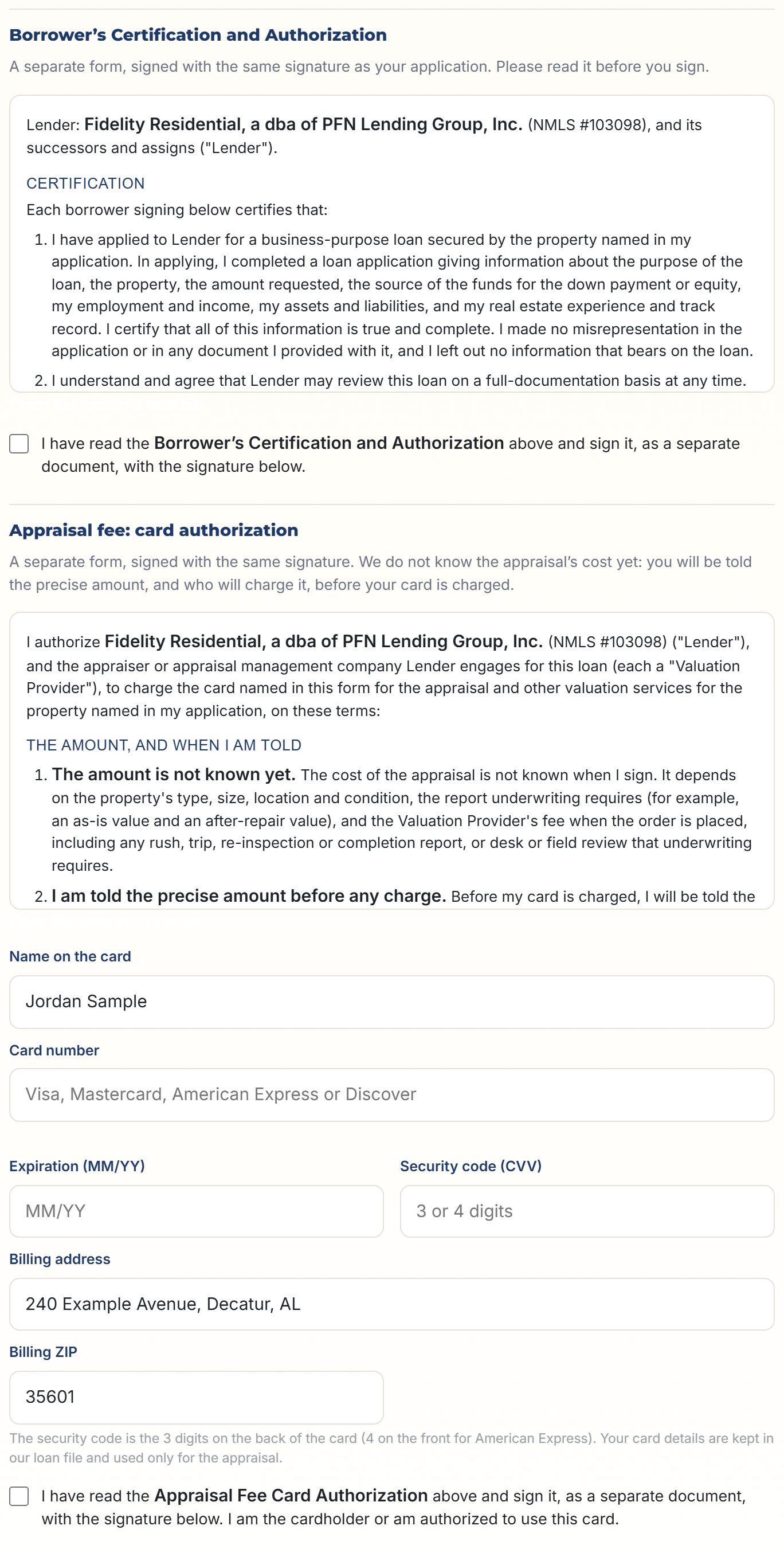
The same signature also signs two short forms, each a separate document with its own signed PDF. Read each one on the screen and check its box:
- Borrower's Certification and Authorization. You confirm your application is true and complete, and allow us to verify it with your employer, your bank and the other parties named in it.
- Appraisal Fee Card Authorization. The card we charge for the appraisal (see below).

The card for the appraisal
We do not know the appraisal's cost when you apply: it depends on the property, the report underwriting needs and the appraiser's fee when it is ordered. So you give us a card now, and nothing is charged until you know the amount.
- You are told first. Before your card is charged, you are told the precise amount, what it is for and the name that will appear on your statement. We tell you by email (and text, if texts are on), or the appraiser or appraisal management company may contact you directly.
- Who charges it. Us, or the appraiser or appraisal management company directly. Each service is charged once.
- Security code. We ask for the code on the back of your card (on the front for American Express) with the card number, so the card can be charged once you are told the amount.
- Kept safe. Your card details, including the security code, are kept in our loan file and loan systems, seen only by our loan team, and given only to the appraiser or appraisal management company that charges the card. Your copy shows only the last four digits and not the security code.
Your copies, then Step 2
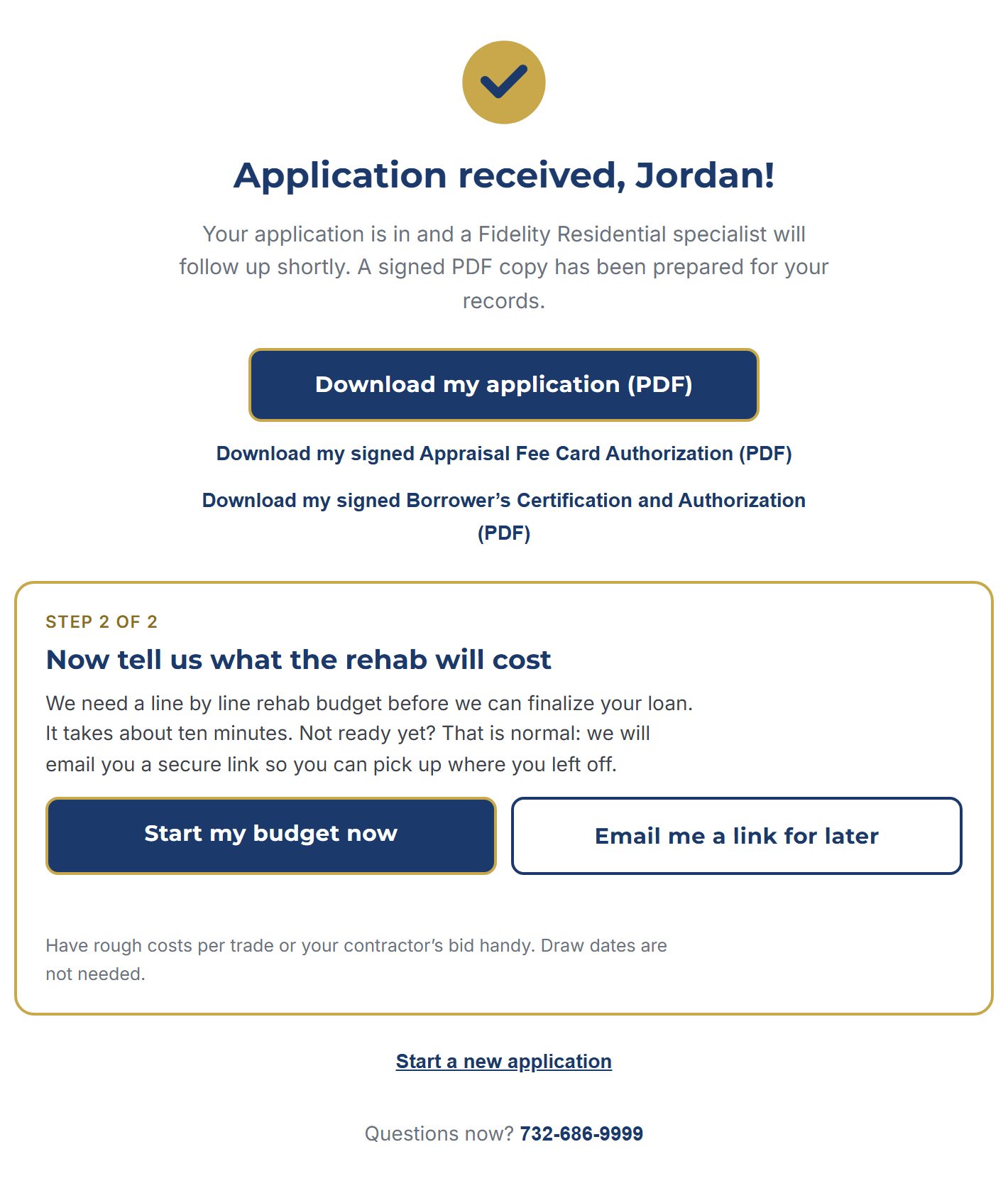
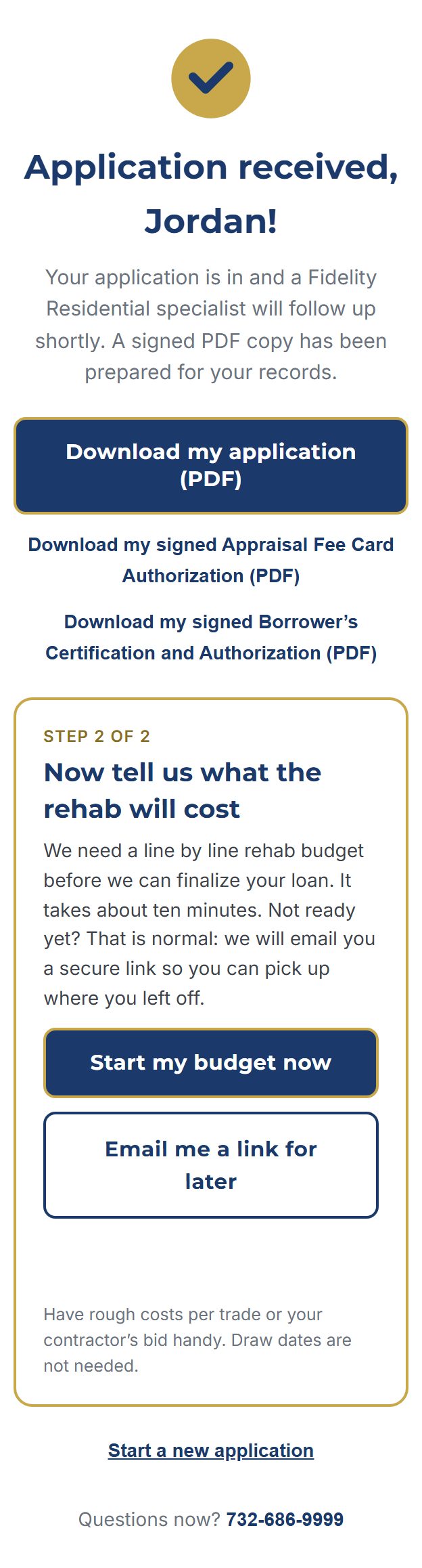
When the application is in, you can download your signed application and both signed forms. Then the done screen asks for your rehab budget. Start it right away, or choose Email me a link for later. The link works for 30 days.
Your rehab budget
List the work you plan to do and what each part will cost. It takes about ten minutes. You do not need draw dates; we set up the draw schedule with you after closing.
Enter your costs
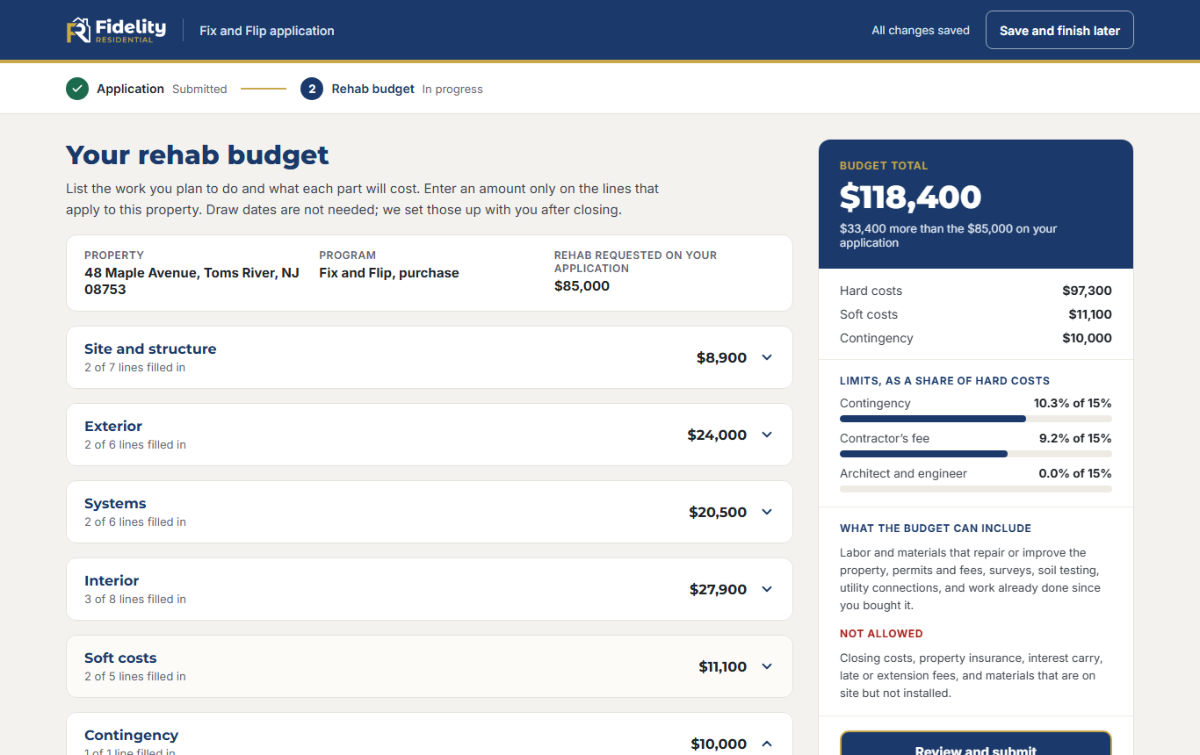
On a computer, the budget is grouped into sections: site and structure, exterior, systems, interior, soft costs and contingency. Open a section and type an amount only on the lines that apply. The What is included box under each line is optional, but it helps us approve the budget faster.
The panel on the right keeps a running total and compares it with the rehab amount on your application.
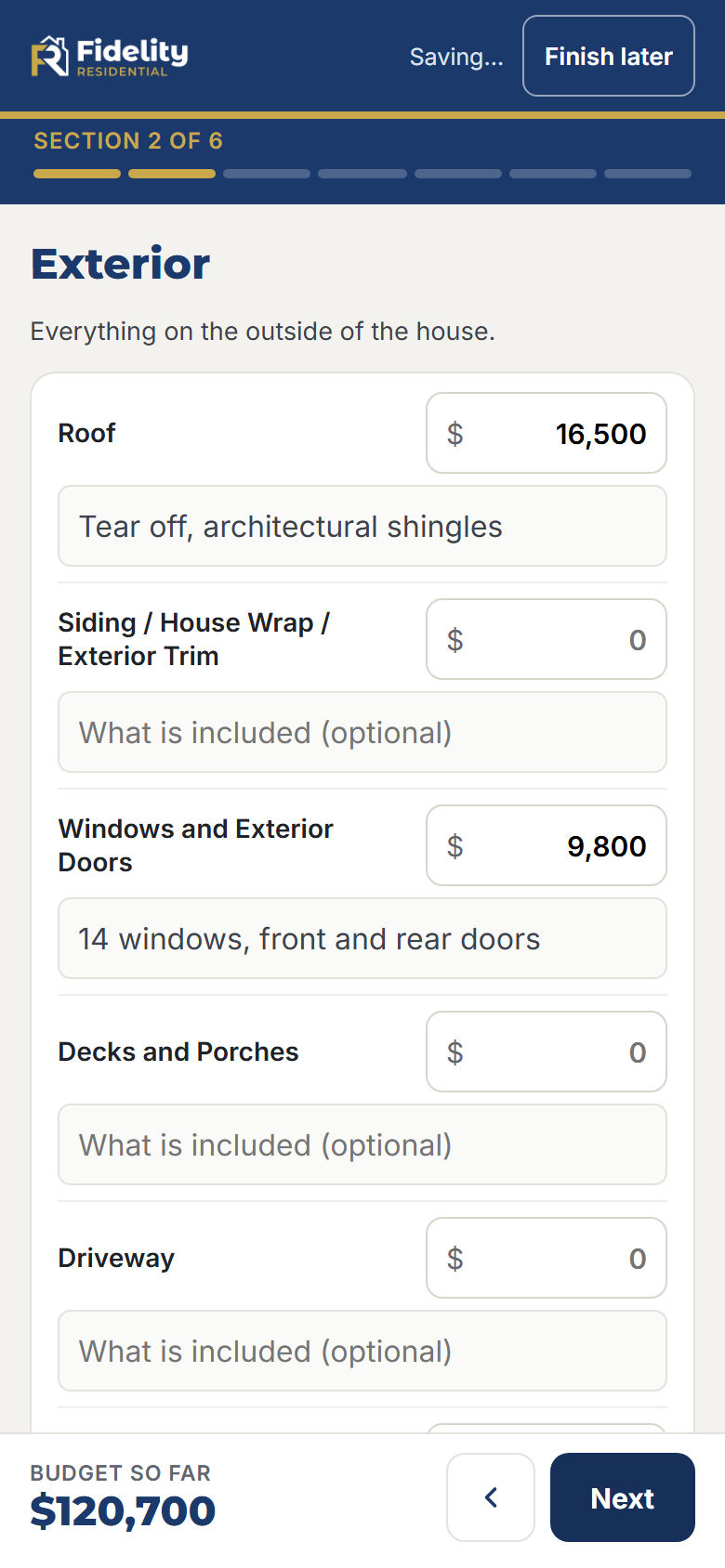
On a phone, one section at a time
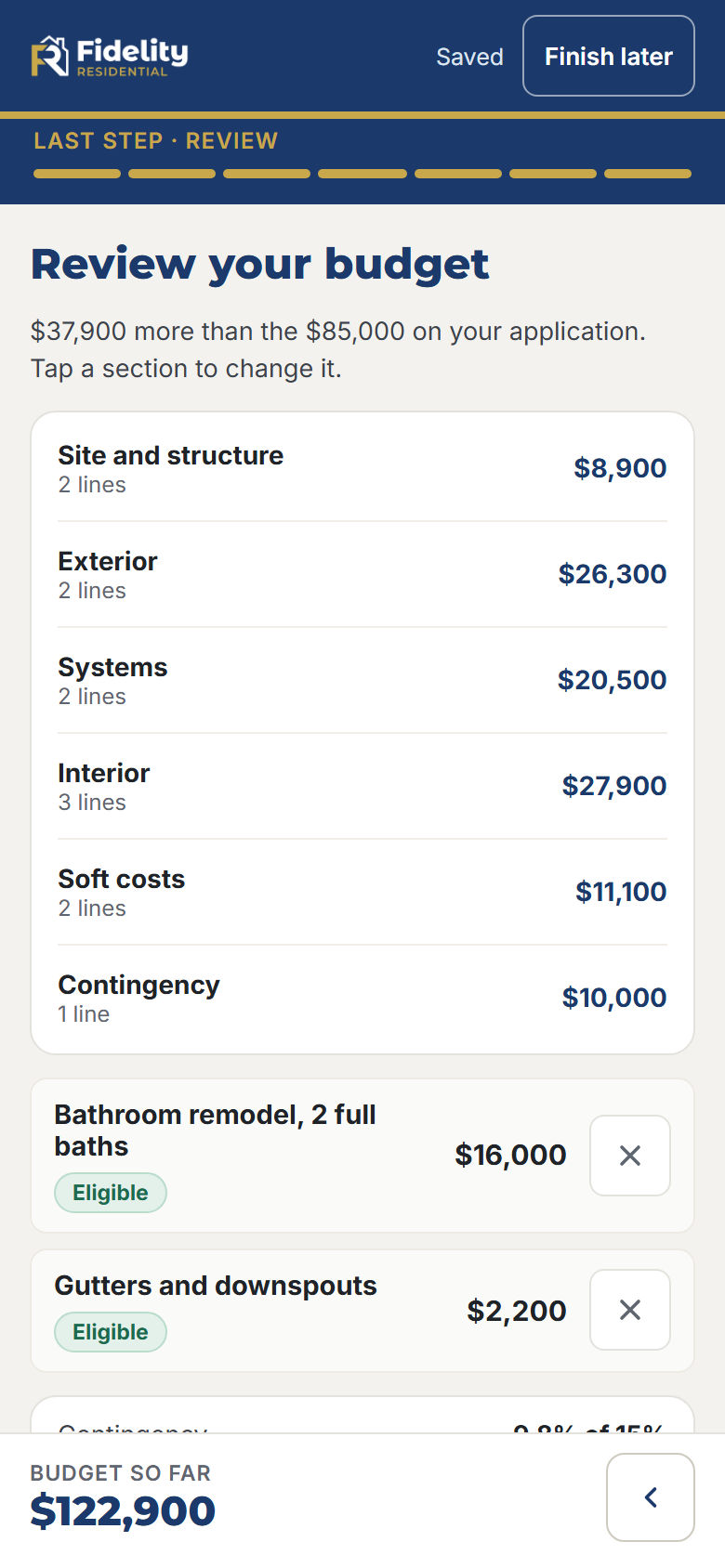
On a phone you see one section per screen. Enter the amounts, tap Next, and your budget so far stays at the bottom of the screen. The last screen is the review.
Add your own lines
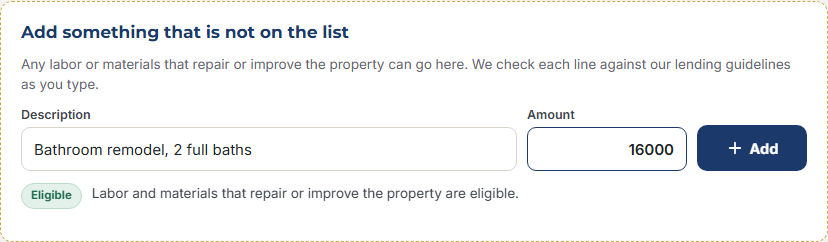
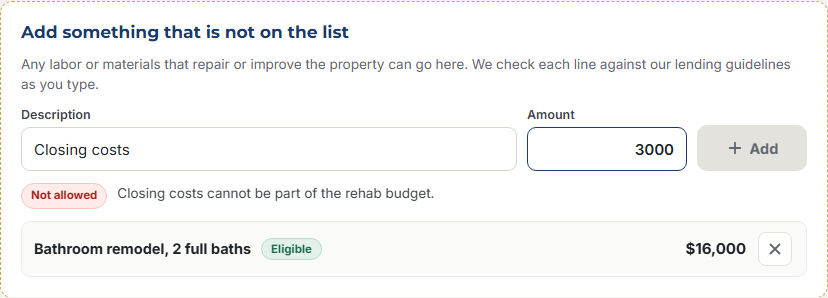
If something is not on the list, add it in Add something that is not on the list (on a phone, Something else?). We check each line against our lending guidelines as you type:
Watch the 15% limits
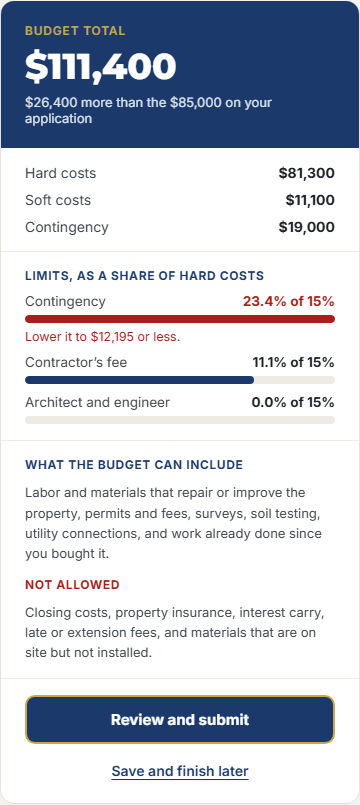
Three kinds of cost are each limited to 15% of your hard costs (the labor and materials): contingency, the contractor's fee including overhead and profit, and architect and engineer fees. The bars turn red and tell you the most you can enter.
Save and finish later
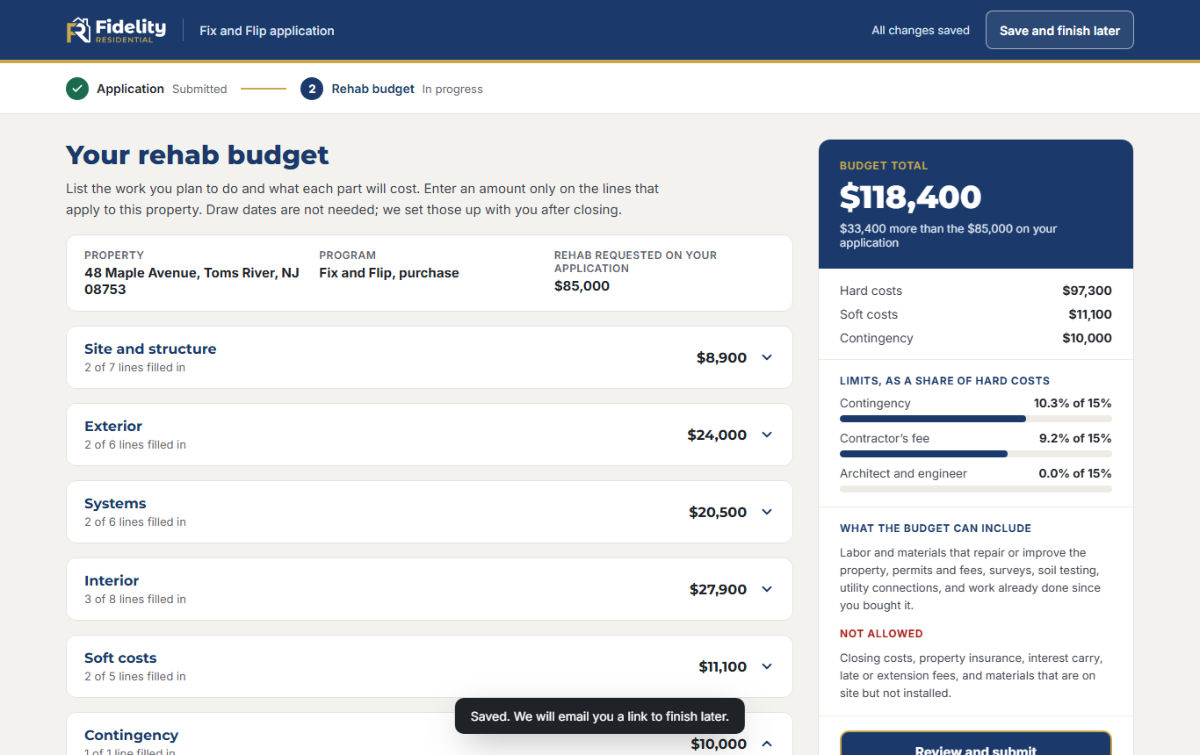
Everything saves as you type. Press Save and finish later and we email you a private link to come back to it. The link works for 30 days.
Review and sign
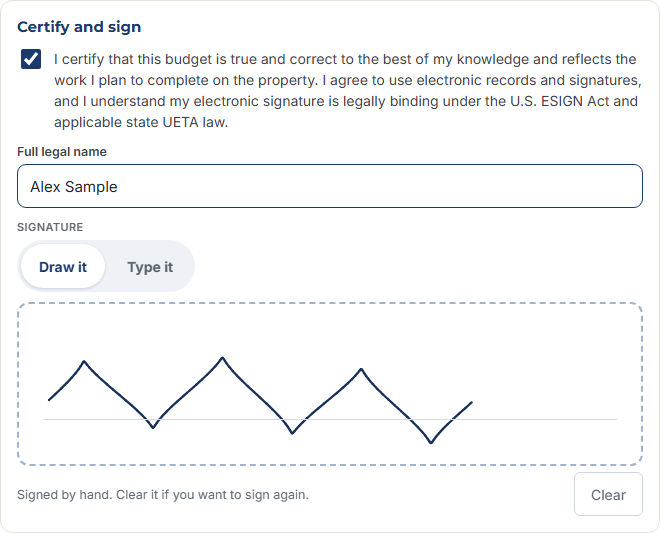
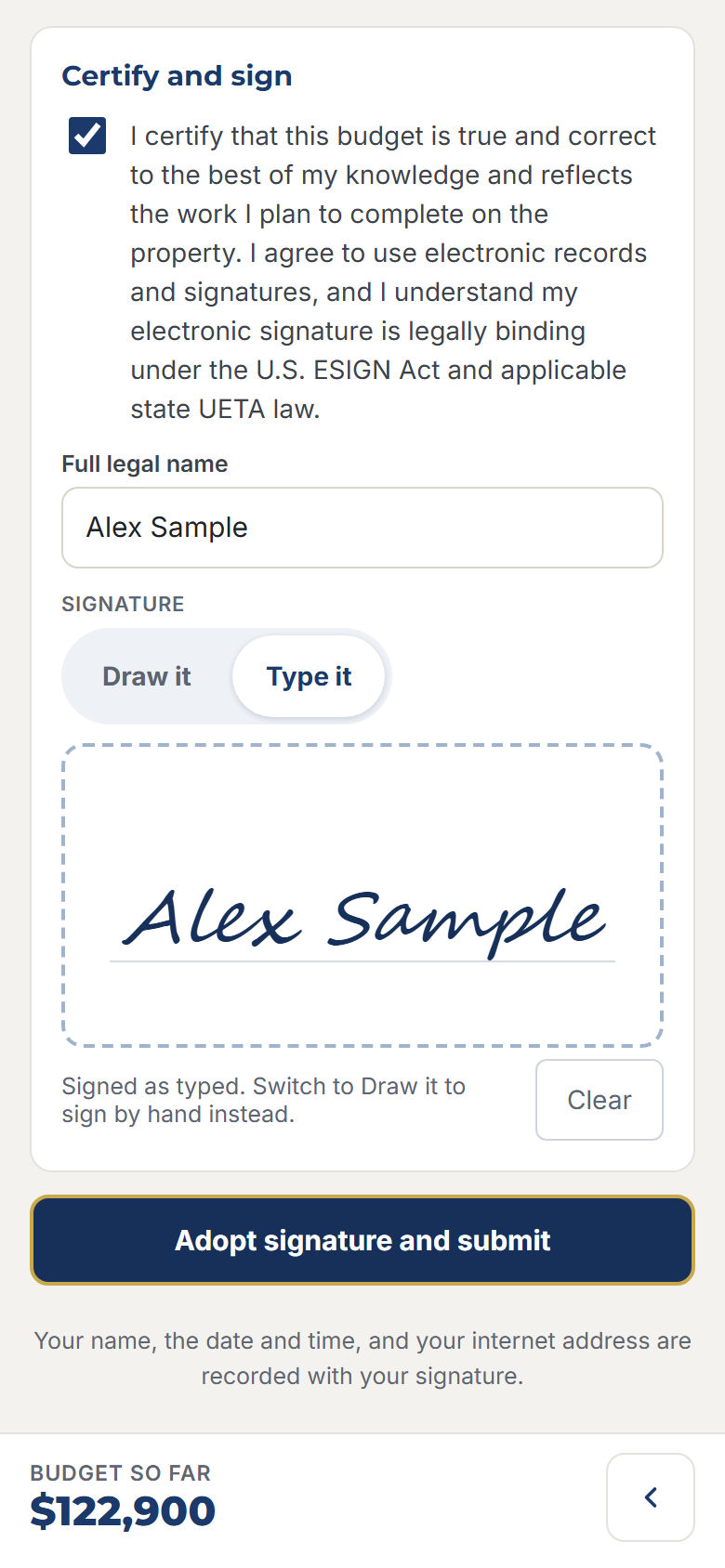
Press Review and submit. Check the list, confirm the certification, type your full legal name and sign: draw it with your finger or mouse, or type it. Then press Adopt signature and submit.
Your copies
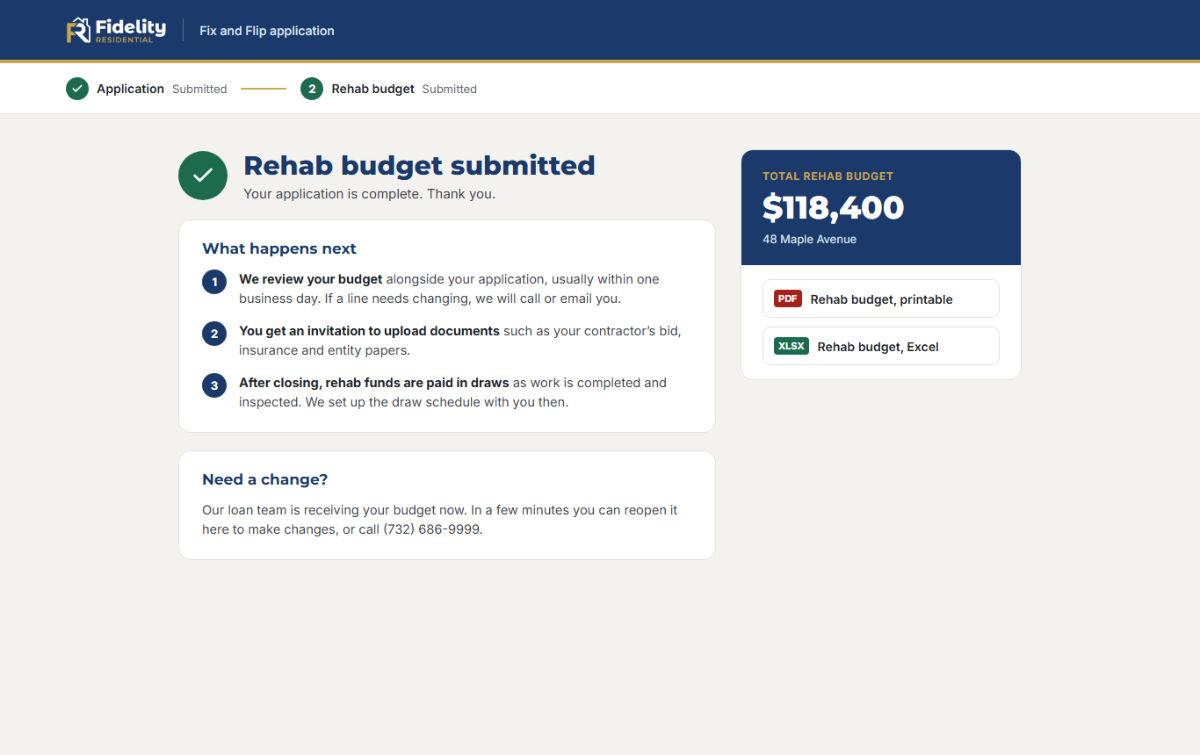
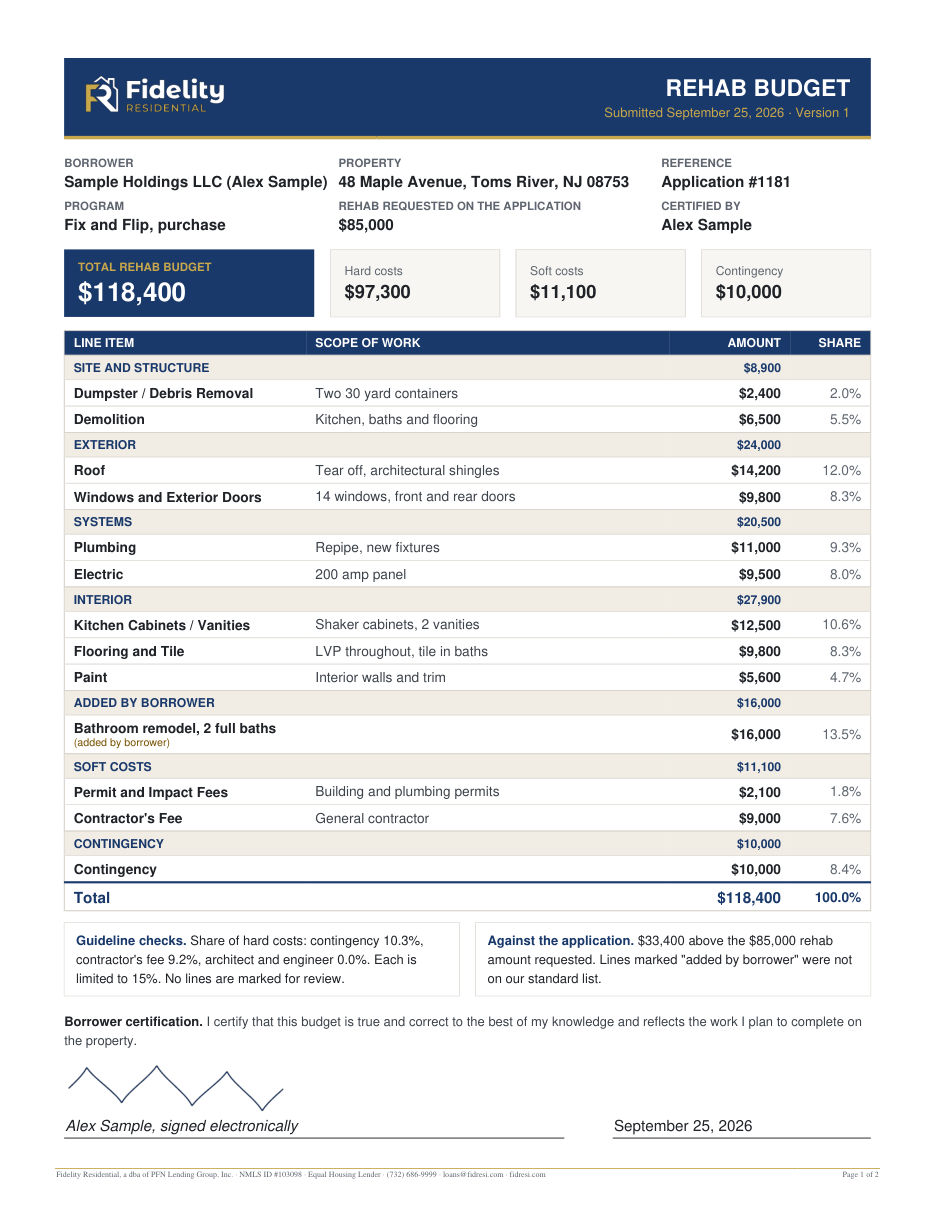
When you submit, you can download your budget as a PDF and as an Excel file. Our loan team gets both right away, and they are saved to your loan file.
The PDF shows every line, your totals, the guideline checks and your signature, followed by a certificate of electronic signature.
Making changes after you submit
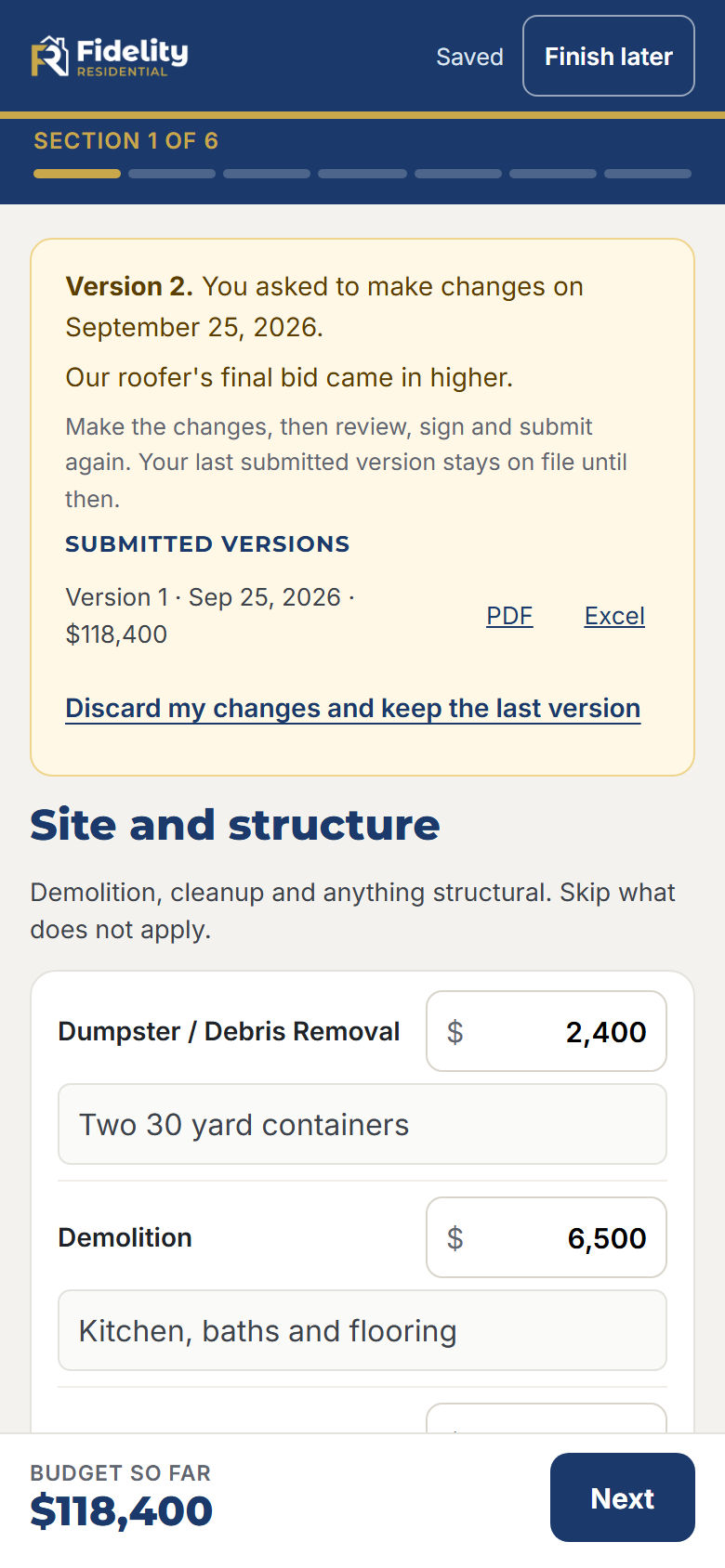
Bids change and plans change. You can reopen your budget, and our loan team can ask you for changes. Each time you resubmit, it becomes a new version with its own signature, and the earlier versions stay on file.
When you need a change
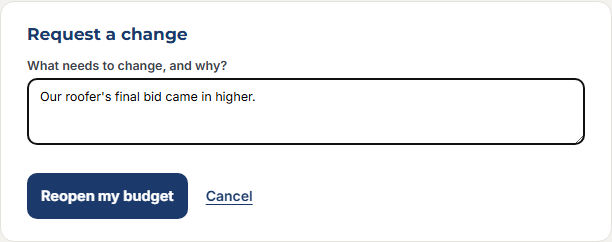
Open your budget from our email and press Request a change. Tell us briefly what changed and press Reopen my budget. Your budget opens with everything you submitted. Make the changes, then review, sign and submit again. Changed your mind? Press Discard my changes to keep the version you submitted.
When we ask for a change
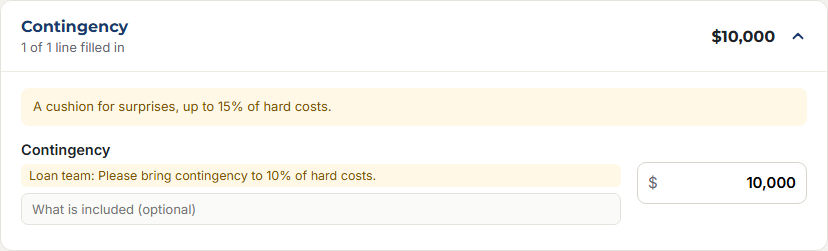
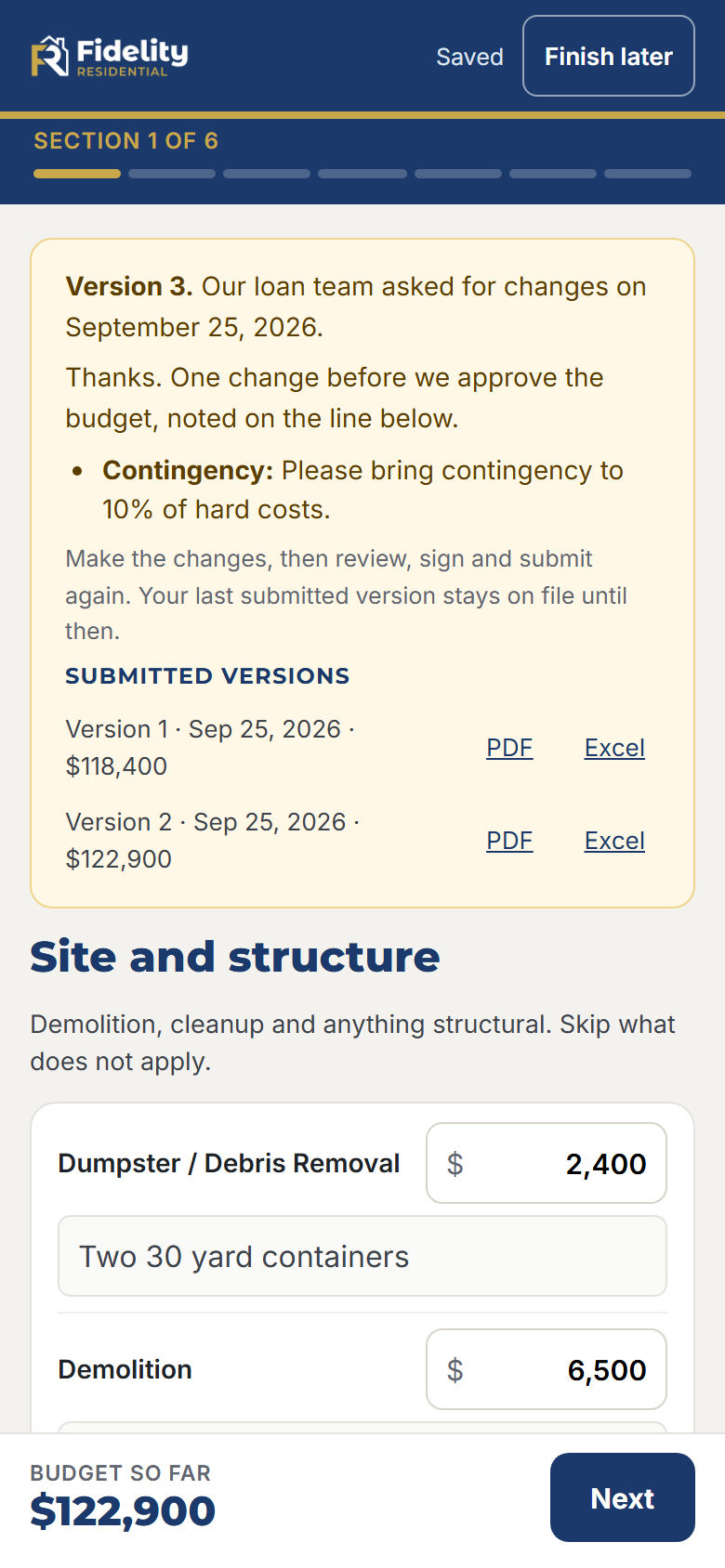
If something needs adjusting, we email you a link. The budget opens with our message at the top and a note on each line we are asking about. Update those lines, then sign and submit again. The PDF of the new version lists what changed from the last one.
What happens next
Once your budget is in, here is the path to funding.
We review
We review your budget with your application, usually within one business day, and call or email if a line needs changing.
You upload documents
You get an invitation to upload documents such as your contractor's bid, insurance and entity papers.
We close
We close in as few as 10 business days once everything is in.
You draw as you build
Rehab funds are paid in draws as work is completed and inspected against your approved budget.
Questions
Can I do all of this on my phone?
Yes. The term sheet, the application and the rehab budget all work on a phone. The budget shows one section per screen, and you can sign with your finger.
I lost the link to my budget.
Call us at (732) 686-9999 or email loans@fidresi.com and we will send you a new one.
I do not have exact numbers yet.
Use your best estimates or your contractor's bid. If numbers change later, you can reopen the budget and submit a new version.
Do I need to enter draw dates?
No. List the work and what each part will cost. We set up the draw schedule with you after closing.
What if a line is marked "We will review"?
You can still submit. Those costs usually do not improve the property, so we look at them and may ask you to remove them.
Why do you need my card when I apply?
To order the appraisal without holding up your loan. Nothing is charged until you are told the precise amount, and who will charge it, by us or by the appraiser or appraisal management company.
How much is the appraisal?
It depends on the property and the report underwriting needs, so we cannot tell you exactly until it is ordered. You are always told the precise amount before your card is charged, and it is never charged more than that.
Is the appraisal fee refundable?
The fee pays for the appraiser's work, so it is due whether or not your loan closes. If the order is cancelled before the inspection, you get back what was charged, less any cancellation or trip fee, which you are told about first. You also get a copy of the appraisal at no extra charge.
Can I use someone else's card?
Yes, if you are authorized to use it. Put the cardholder's name and billing address on the form.
How do I cancel the card authorization?
Email loans@fidresi.com any time before a charge. Cancelling does not cancel a fee for work already done.
Is my electronic signature binding?
Yes. You sign under the federal ESIGN Act and your state's Uniform Electronic Transactions Act. Each signed document ends with a certificate that records when and how it was signed.
Questions about your loan?
Call (732) 686-9999 or email loans@fidresi.com.